
I built Owlet to make working with words feel a little more natural on my Mac. It helps me translate and polish text, then save the words worth learning.
Key features
- Translate and polish: understand text and improve your writing.
- Any language: add the languages you read; Owlet detects the source and selects a target.
- Any part of the screen: capture text from an image, PDF, or caption for translation.
- Replace in place: put a translation or polished text directly into your selection.
- Learn and save: keep words and expressions worth learning in your notebook.
- History: revisit your translations and polished text.
- Flexible providers: use a supported API or a local agent CLI.
Translate and polish as you go
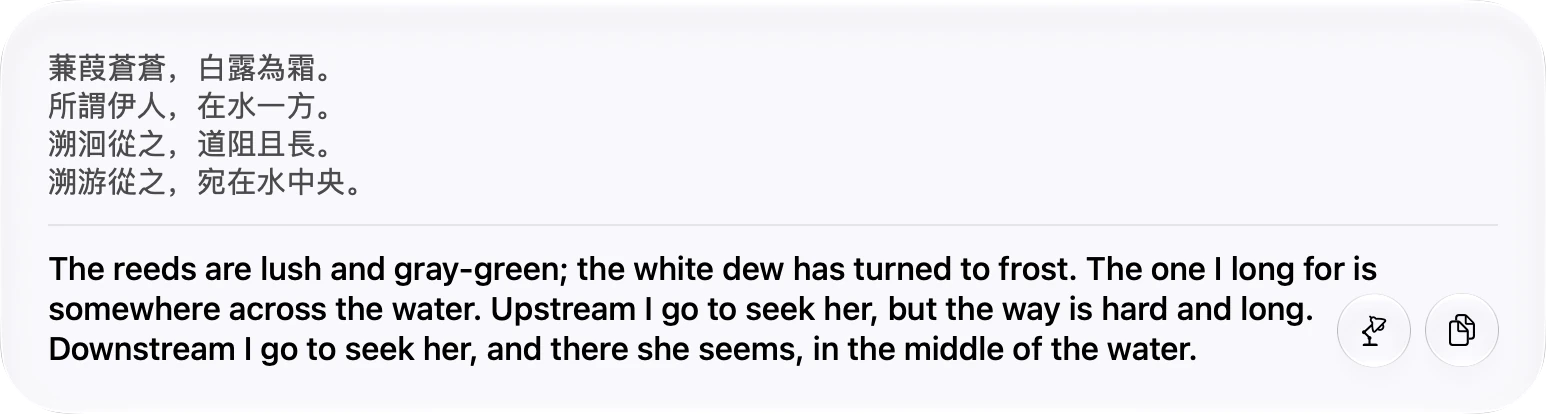
Select text and bring up Owlet to translate it without leaving what you are reading. The result appears alongside the original, so it is easy to compare them. You can also capture a screen region to translate text in an image, PDF, or caption. Owlet can polish your writing and replace selected text in place.
Build your notebook
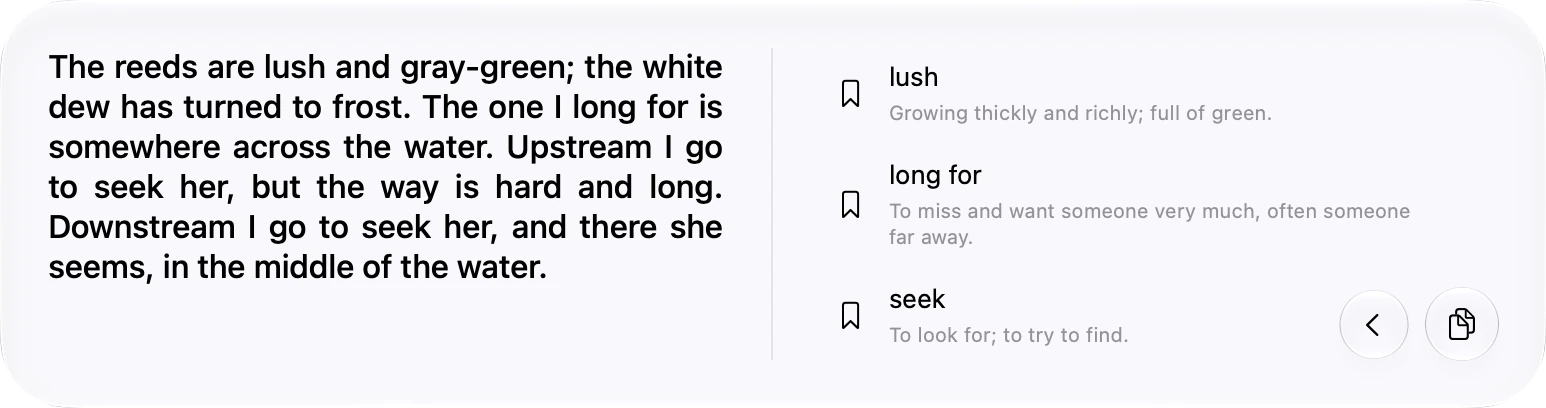
A translation is often just the beginning. Owlet can suggest words and expressions to learn from the text, and you can save the ones that interest you.
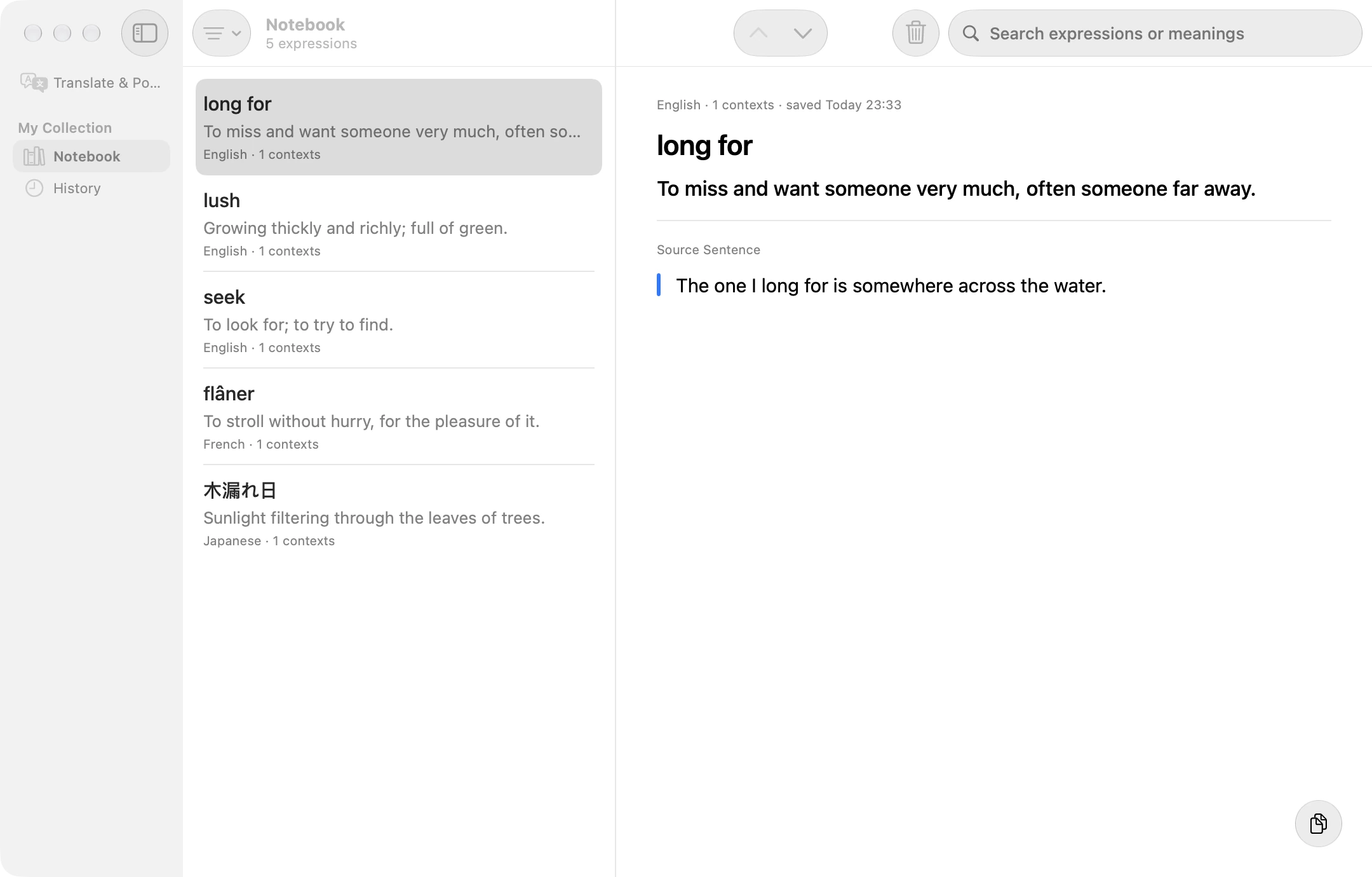
The notebook keeps saved expressions together with their meanings and source context. You can return to them later instead of losing them when the panel closes. Owlet also keeps a history of processed text.
Choose your AI provider
Owlet supports providers using the OpenAI Chat Completions, OpenAI Responses, Anthropic Messages, and Gemini protocols. You can also use a local agent CLI such as Claude Code or Codex CLI. Choose the setup that fits how you already work.
Try Owlet
I wanted Owlet to make the small moments of working across languages easier: understand a passage, improve a sentence, and keep a useful expression for later. I hope it becomes a helpful companion in your own reading and writing, too.
Owlet is open source and requires macOS 26 or later. Visit the Owlet website to learn more, or find the source and downloads on GitHub.